
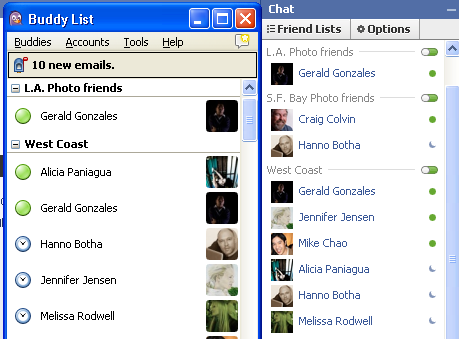
How-to set up Facebook chat with any instant messenger

Ok, so this post isn’t photo related, but if you use Facebook for your photo business, this may be of interest to you.

You can now chat with any of your Facebook friends using any instant messenger that supports the Jabber/XMPP protocol such as AOL-AIM, iChat and my personal choice Pidgin.

Getting started is easy.  In most clients, add a new XMPP account, if you choose a Facebook username that’s the name you’ll use to log in and use your Facebook password.  The chat server is chat.facebook.com.  And, if you’re asked to input a port it is 5222.

You can read more about it on the Facebook blog and get examples for setting up with your IM client.

This website uses IntenseDebate comments, but they are not currently loaded because either your browser doesn't support JavaScript, or they didn't load fast enough.

2 Comments to How-to set up Facebook chat with any instant messenger

  1. February 13, 2010 at 2:26 am | Permalink

    thank you, sir. very informative.

  2. February 15, 2010 at 6:42 pm | Permalink

    I got confused when I read this, although I eventually figured it out. You need to put the username as "username@chat.facebook.com" and then password and it automatically finds the servers etc. for facebook.

    I thought what you meant was typing in the manual server address as chat.facebook.com and the port. I didn't need to do that after all. But thank you for letting me know iChat does actually support Facebook chat. Now I can close that dang window down.

Leave a Reply

You must be logged in to post a comment.